


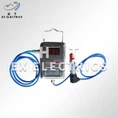
Hey there! As an explosion - proof camera supplier, I often get asked about how to set up the recording parameters of these cameras. It's a crucial aspect because getting it right ensures you capture all the important details while keeping things safe in hazardous areas.
First off, let's talk about the basics. Explosion - proof cameras are designed for environments where there's a risk of explosions, like in oil and gas fields, chemical plants, and mines. These cameras need to be tough and reliable, and setting the recording parameters correctly is part of making them work at their best.
Resolution
The resolution of your explosion - proof camera is super important. It determines how clear and detailed the recorded images are. Higher resolution means more pixels, and that translates to sharper pictures. For most industrial applications, I'd recommend going for at least 1080p (1920 x 1080 pixels). If you need to capture fine details, like small equipment malfunctions or security threats, you might even want to consider 4K (3840 x 2160 pixels) resolution.
However, keep in mind that higher resolution also means more data storage. You'll need to have enough storage capacity to handle all those high - res recordings. If you're using a network video recorder (NVR), make sure it has enough hard drive space. You can check out our Explosion Proof Camera for Oil and Gas which offers different resolution options to suit your needs.
Frame Rate
The frame rate is the number of frames per second (fps) that the camera records. A higher frame rate results in smoother video, which is great for capturing fast - moving objects. In a typical industrial setting where there might be machinery in motion or people moving around, a frame rate of 25 - 30 fps is usually sufficient.
But if you're monitoring something that moves really quickly, like a high - speed conveyor belt or a vehicle in a mining area, you might want to increase the frame rate to 60 fps or even higher. Just like with resolution, a higher frame rate means more data, so you'll need to account for that in your storage planning. Our Explosion Proof Security Camera allows you to adjust the frame rate easily to match your specific requirements.
Recording Mode
There are a few different recording modes you can choose from.
Continuous Recording
This is the simplest mode. The camera records all the time, 24/7. It's great for areas where you need to have a complete record of everything that happens, like a security checkpoint or a critical production area. However, it uses up a lot of storage space.
Motion - Activated Recording
In this mode, the camera only starts recording when it detects motion. It's a more efficient way to use storage because you're not recording hours of empty footage. You can adjust the sensitivity of the motion detection to make it more or less likely to trigger. This mode is perfect for areas where there's not much activity most of the time but you want to capture any movement that occurs. Our Intrinsically Safe LiDAR Camera/explosion Proof Security Camera has a very reliable motion - activated recording feature.
Schedule Recording
With schedule recording, you can set specific times for the camera to record. For example, you might only want to record during the day when the production is running or during the night for security purposes. This gives you more control over your storage usage and ensures you're only recording when it's necessary.


Compression
Video compression is a technique used to reduce the size of the recorded video files without sacrificing too much quality. There are different compression algorithms available, such as H.264 and H.265.
H.264 is a widely used and well - established compression standard. It offers a good balance between file size and video quality. H.265, on the other hand, is a newer standard that provides even better compression, which means smaller file sizes for the same level of quality. However, not all devices support H.265 yet, so you need to make sure your NVR or playback device can handle it. Our Explosion Proof Ir Camera supports both H.264 and H.265 compression, giving you the flexibility to choose.
Storage
As I've mentioned a few times, storage is a big factor when setting up the recording parameters. You need to calculate how much storage space you'll need based on your resolution, frame rate, recording mode, and compression settings.
A simple way to estimate storage needs is to use an online storage calculator. These calculators take into account all the factors I've mentioned and give you an idea of how much hard drive space you'll need per day, week, or month.
You can choose between local storage, like an NVR with hard drives, or cloud storage. Local storage gives you more control over your data, but it requires maintenance and can be limited in capacity. Cloud storage, on the other hand, offers unlimited storage and can be accessed from anywhere, but it comes with a monthly subscription cost.
Other Considerations
Night Vision
In many industrial settings, the camera needs to work in low - light or no - light conditions. That's where night vision comes in. Most explosion - proof cameras come with infrared (IR) LEDs for night vision. You can adjust the range and intensity of the IR LEDs to get the best night - time footage. Check out our Intrinsically Safe Infrared Camera for excellent night - vision capabilities.
Angle of View
The angle of view determines how much of the area the camera can see. You can choose between wide - angle and narrow - angle lenses depending on your monitoring needs. A wide - angle lens is great for covering a large area, like a warehouse, while a narrow - angle lens is better for focusing on a specific object or area.
Conclusion
Setting up the recording parameters of an explosion - proof camera might seem like a complex task, but if you understand the basics of resolution, frame rate, recording mode, compression, and storage, you'll be able to get it right. And remember, our team of experts is always here to help you make the best choices for your specific needs.
If you're in the market for an explosion - proof camera or need more advice on setting up the recording parameters, don't hesitate to reach out. We're happy to have a chat and discuss how we can help you with your procurement needs.