


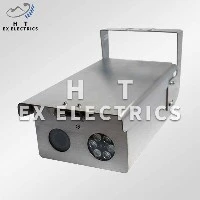
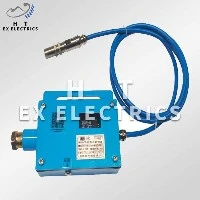

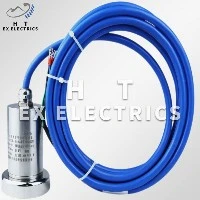
Hey there! As a supplier of Intrinsically Safe Smoke Sensors, I often get asked how to access the data from these nifty devices. So, I thought I'd break it down for you in this blog post.
First off, let's talk a bit about intrinsically safe smoke sensors. These sensors are designed to be used in hazardous environments where there's a risk of explosion due to the presence of flammable gases or dust. They're built to prevent the ignition of these hazardous substances by limiting the energy that can be released in the event of a fault. That's why they're so important in industries like oil and gas, mining, and chemical processing.
Now, on to the main topic: accessing the data from an intrinsically safe smoke sensor. There are a few different ways to do this, and the method you choose will depend on your specific needs and the capabilities of the sensor you're using.
Wired Connections
One of the most common ways to access data from a smoke sensor is through a wired connection. Most intrinsically safe smoke sensors come with standard electrical interfaces like RS - 485, Modbus, or Ethernet.
- RS - 485: This is a popular serial communication protocol that allows you to connect multiple sensors to a single communication line. It's great for long - distance communication and can support multiple devices on the same bus. To access the data, you'll need a device that can communicate using the RS - 485 protocol, like a data logger or a PLC (Programmable Logic Controller). You can then use software on your computer to read and analyze the data.
- Modbus: Modbus is another widely used communication protocol in the industrial world. It's simple and easy to implement, and many intrinsically safe smoke sensors support it. With Modbus, you can read the sensor data by sending specific commands to the sensor over a communication line (usually RS - 485). There are plenty of Modbus master software tools available that you can use to communicate with the sensor and retrieve the data.
- Ethernet: If your sensor has an Ethernet interface, you're in luck! Ethernet offers high - speed data transfer and can be easily integrated into your existing network infrastructure. You can connect the sensor directly to your local area network (LAN) and access the data using a web browser or a dedicated software application. Some sensors even come with built - in web servers, which means you can simply enter the IP address of the sensor in your browser and view the data right there.
Wireless Connectivity
In some cases, a wired connection might not be practical. Maybe you're dealing with a large area where running cables is difficult, or you need to move the sensor around frequently. That's where wireless connectivity comes in handy.
- Wi - Fi: Many modern intrinsically safe smoke sensors support Wi - Fi connectivity. This allows you to connect the sensor to your existing Wi - Fi network, just like you would with a smartphone or a laptop. Once connected, you can access the sensor data using a mobile app or a web - based interface. Wi - Fi is convenient because it offers high - speed data transfer and is widely available in most industrial and commercial settings.
- Bluetooth: Bluetooth is another option for wireless data access. It's a short - range wireless technology that's easy to set up and use. You can pair your smartphone or a tablet with the sensor using Bluetooth, and then use a dedicated app to read the data. Bluetooth is great for quick and easy access to the sensor data, especially if you're in close proximity to the sensor.
- ZigBee: ZigBee is a low - power, wireless communication protocol that's designed for use in sensor networks. It's ideal for applications where you need to connect multiple sensors over a large area. ZigBee sensors can form a mesh network, which means they can communicate with each other and relay data back to a central hub. You can then access the data from the hub using a computer or a mobile device.
Using a Gateway
Sometimes, you might need to connect sensors with different communication protocols or standards. That's where a gateway comes in. A gateway is a device that acts as a bridge between different networks or protocols.
For example, if you have an intrinsically safe smoke sensor that uses Modbus and you want to integrate it with a Wi - Fi network, you can use a Modbus - to - Wi - Fi gateway. The gateway will convert the Modbus protocol into a Wi - Fi - compatible format, allowing you to access the sensor data over the wireless network. Gateways are also useful for aggregating data from multiple sensors and sending it to a central server for further analysis.
Data Storage and Analysis
Once you've accessed the data from the smoke sensor, you'll need to store and analyze it. There are several options for data storage:
- Local Storage: You can use a local data logger or a storage device connected to the sensor to store the data. This is a good option if you want to have a backup of the data on - site.
- Cloud Storage: Cloud storage is becoming increasingly popular for sensor data. It allows you to store the data remotely and access it from anywhere with an internet connection. Many sensor manufacturers offer cloud - based platforms that make it easy to store, analyze, and visualize the data.
When it comes to data analysis, there are many tools available. You can use spreadsheets like Microsoft Excel to perform basic data analysis, or you can use more advanced analytics software like Tableau or PowerBI for in - depth data exploration and visualization.
If you're also interested in other types of intrinsically safe sensors, check out these links: Tension Sensor, Intrinsically Safe Speed Sensor, Intrinsically Safe Infrared Temperature Sensor, and Intrinsically Safe Temperature Sensor, Intrinsically Safe Temperature Sensor.


So, if you're in the market for an intrinsically safe smoke sensor or need more information on accessing data from these sensors, don't hesitate to reach out. We're here to help you find the best solution for your needs. Whether you're looking to set up a new monitoring system or upgrade your existing one, we've got you covered.
I hope this blog post has been helpful to you. If you have any questions or need further assistance, feel free to contact us for a chat about your procurement needs.